

Platform Sessions
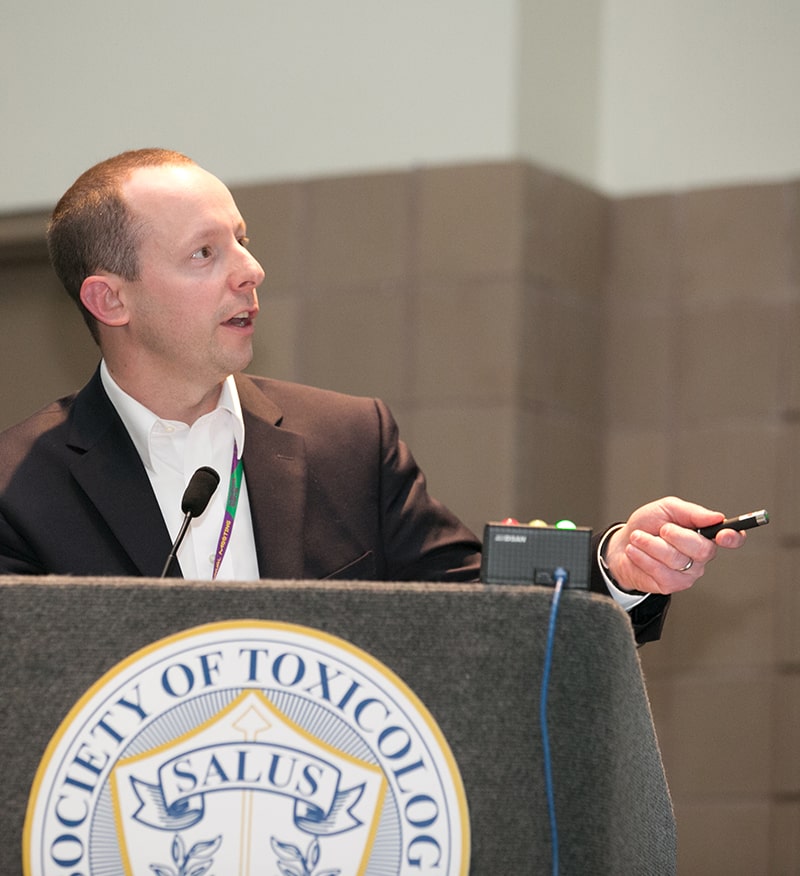
Platform Sessions are oral presentations of abstracts. The Scientific Program Committee may create 165-minute or 90-minute Platform Sessions based on well-written abstracts on topics that cover new areas, concepts, or data. Authors whose abstracts have been accepted into a Platform Session will be provided 15 minutes to present their work in a slide presentation in a Scientific Session room instead of a poster in the ToxExpo.
Presenters who are interested in sharing their work either as a poster in the ToxExpo or as an oral presentation in a session room should designate their abstract “Platform or Poster” while completing their submission. Presenters will be notified by early December 2021 of acceptance to Platform Sessions.
This page contains tips and instructions for preparing for a Platform Session presentation, as well as information and guidelines for Platform Session Chairs.
Fifteen-minute presentation, including discussion
The Platform Session Chair will not allow extra time, and no scheduling changes can be made. If you are unable to make your presentation, you must arrange a substitute presenter and notify the Chair and SOT Headquarters.
Slide presentations should be in widescreen (16:9) presentation format: see the Instructions for Converting to a Widescreen (16:9) Presentation Format. For your benefit, SOT has created a PowerPoint Template of Required Slides, which is already in widescreen format, for use by platform presenters. When using this template, each new slide will be in a predetermined format/style that maximizes readability and usefulness during platform presentations.
Slide presentations should include the following:
- Title slide
- Conflict of interest disclosures slide
- Slide stating the question or hypothesis to be addressed
- Slide describing the approach used to address the question
- “Methods” slide, but no details about the method unless your presentation is on the method
- Research results slides
- Conclusions of study slide
- Green laser pointers will be available for presenters. If you intend to use one, please avoid colors and elements in your design that would limit the visibility of a green laser.
Communicate Ideas, Not Details
If someone wants details, let them ask during the discussion period.
Testing 1, 2, 3
Review your slides on a different machine from that on which it was originally prepared to ensure the backgrounds, graphics, and linked images appear properly.
Less = More
Put the minimum amount of information on the slide to communicate the idea you want. Ask yourself, “What can be left out?”
Make It Readable
Your font should be at least 18 points in size, making it legible from 100 feet away on an eight-foot screen. Use no more than 10 lines of text per slide, and avoid color combinations that do not project well, such as red on blue.
Graphs > Tables
Graphs communicate ideas more quickly than tables. Photographs also may be effective, but avoid pictures of animals. If you must use a table, include only the pertinent details—not the full table as would be published in an article.
AV and Logistics Information
The audiovisual equipment will include a digital projector for slide presentations, a podium with a microphone, and a floor microphone. During the session, make certain that all audience members addressing a topic or question use the floor microphones provided and identify themselves by name and institution.
Each presentation room is staffed with an AV technician who will assist in starting each presentation—to minimize setup and transition delays, all presenters are required to preload their presentations by using the online speaker management site or by visiting the Speaker Ready Room on-site. All speakers receive specific instructions in early February with their login, their password, and a web link to upload their presentation files.
During the session, once the presentation is launched, the speaker will control the program from the podium using a computer mouse and/or keyboard, which can be used in lieu of a laser pointer. At the conclusion of the event, all files will be destroyed and the computer hard drives will be reformatted. The computers in the presentation rooms will be Windows 10 Pro–based PCs with Microsoft PowerPoint (Office 2019 installed).
All presenters are strongly encouraged to preload their presentations before traveling to San Diego for the Annual Meeting. SOT provides all confirmed Scientific Session presenters with login credentials to access the meeting’s online speaker management site to remotely load presentations. Links to the online speaker management site will be available in February 2022.
Once on-site, all presenters should visit the Speaker Ready Room to view their presentation and ensure that everything is working properly. If you were unable to preload your presentation, you also may use the Speaker Ready Room to upload your presentation. The Speaker Ready Room is staffed with experts available to answer any presentation-related questions and address any presentation concerns.
Presentations should be loaded and previewed in the Speaker Ready Room—not in the Scientific Session rooms—at least 30 minutes before session start times.
Speaker Ready Room
Location and Hours
San Diego Convention Center
Room 11B
Hours of Operation:
| Saturday | 4:00 PM–7:00 PM |
| Sunday | 7:00 AM–4:00 PM |
| Monday | 7:00 AM–4:00 PM |
| Tuesday | 7:00 AM–4:00 PM |
| Wednesday | 7:00 AM–4:00 PM |
| Thursday | 7:30 AM–10:30 AM |
Platform Session Chair Guidelines
Please consult and follow the Session Chair Standard Operating Procedures. Platform Chairs should review all the abstracts in their Platform Session before the Annual Meeting by using the SOT Online Planner or the SOT Event App.
Before your session, please familiarize yourself with the emergency procedure instructions provided to you by SOT Headquarters. Should an emergency occur during your session, please remain calm and follow those instructions.